


Key vault & security
Generate ed25519 & RSA keys on-device, lock them behind Face ID, and sync them end-to-end encrypted — never through a NetShell server.
iPhone, iPad & Mac · iOS 17+ · Free to start · Pro $69.99 / year · No account · No telemetry by default
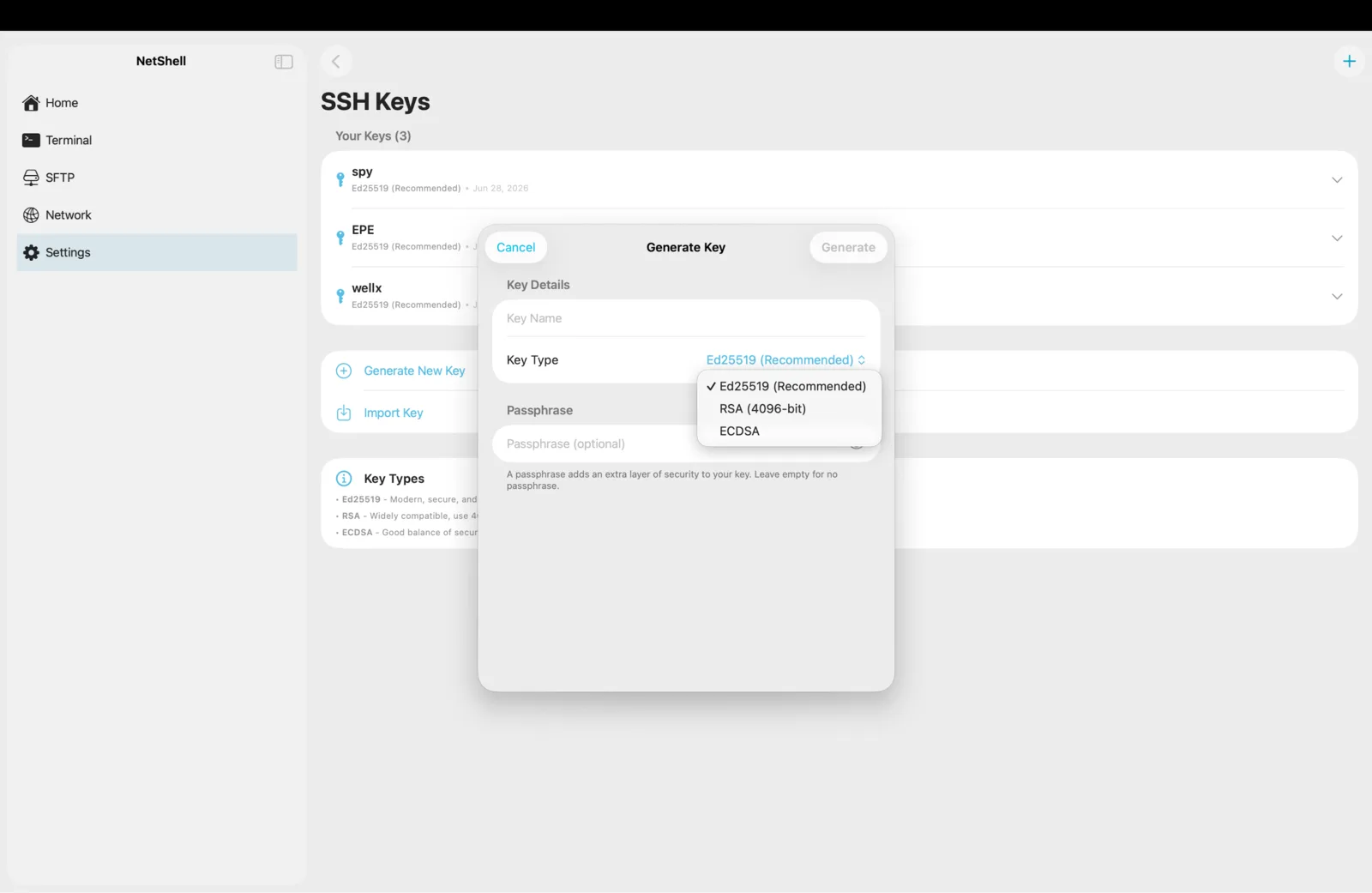
On-device generation
Your keys are born on your device
Tap once and NetShell mints an ed25519 or RSA-4096 keypair straight into the hardware-backed iOS Keychain — the private half never touches a file, a clipboard, or a screenshot. Already have OpenSSH keys? Import them, encrypted ones included.
Biometric vault
It will not show a single key until it knows it is you
The vault stays sealed behind Face ID and refuses to render your keys until you authenticate. Step away and it auto-relocks after the timeout you choose — an unattended phone never leaves your servers one tap away.
End-to-end sync
On every device you own — and on none of our servers
Keys and passwords sync through Apple end-to-end encrypted iCloud Keychain, sealed on-device before they ever leave. They appear on your iPhone, iPad and Mac and nowhere else. We cannot read them. Apple cannot either.

Fail-closed by default
No password reaches a host you have not trusted
On the first connection to a new server NetShell stops and shows you the fingerprint — nothing authenticates until you tap Trust. A destructive-command guard then catches rm -rf, DROP TABLE, force-pushes and 20+ others before they hit the shell, even typed letter by letter.
Everything in Key vault & security
- On-device ed25519 & RSA generation + import
- Stored in the hardware-backed iOS Keychain, behind Face ID
- End-to-end encrypted iCloud Keychain sync across your Apple devices
- Fail-closed host verification — credentials never reach an unknown host
- Destructive-command guard: rm -rf, DROP TABLE, force-push, shutdown
- The app auto-relocks behind Face ID when you step away
What it costs
Start free.
Most SSH clients spread this exact feature set across tiers and tie your vault to their account. NetShell is Start free with one SSH server. NetShell Pro is $6.99 / month or $69.99 / year and covers iPhone, iPad & Mac. — every feature in one Pro plan, no tier above it, and your private keys never leave your own devices.